> ## Documentation Index
> Fetch the complete documentation index at: https://docs.runtm.com/llms.txt
> Use this file to discover all available pages before exploring further.
# Release notes
> The latest from the Runtime product team.
Every entry below is live in production. The date is when it became available, in Pacific Time. Setup notes say what an admin needs to do before people can use it.
## Agents share files and images in Slack
Agents started from Slack can post a screenshot, document or export straight into their own thread.
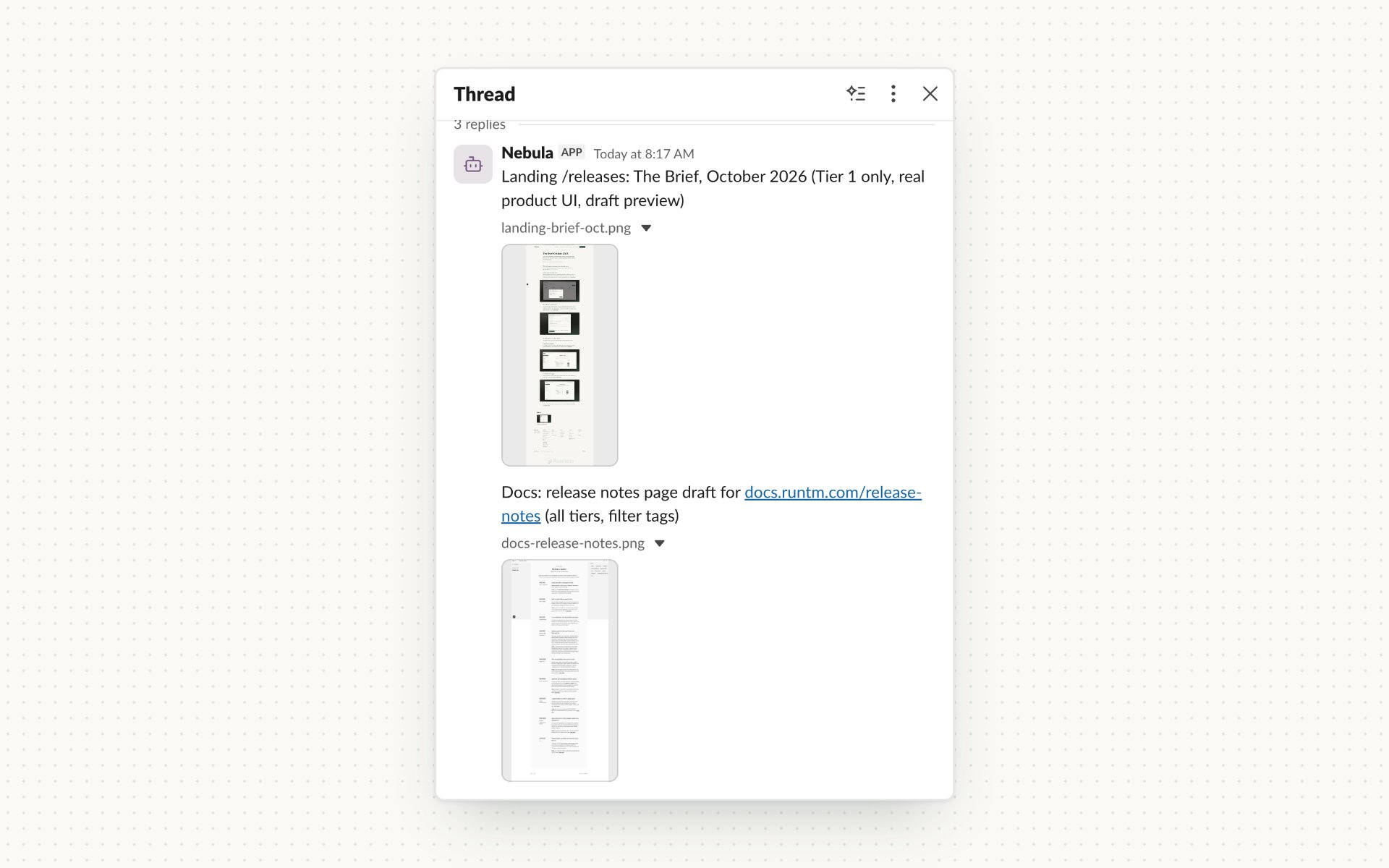 **Setup:** turn on **Share files and images** for the agent. It's off by default. Slack apps installed earlier may need a reinstall to grant `files:write`. Uploads are limited to 20 MB.
## Start an agent with an emoji reaction
React to a Slack message with an emoji you've configured, and the agent picks up that message and its files and replies in the same thread. Each message and emoji starts one run.
**Setup:** add an emoji trigger rule in the agent's Slack settings. You can limit it to certain channels and user groups. The bot must be able to read the channel. [Learn more](/build/how-it-works/triggers)
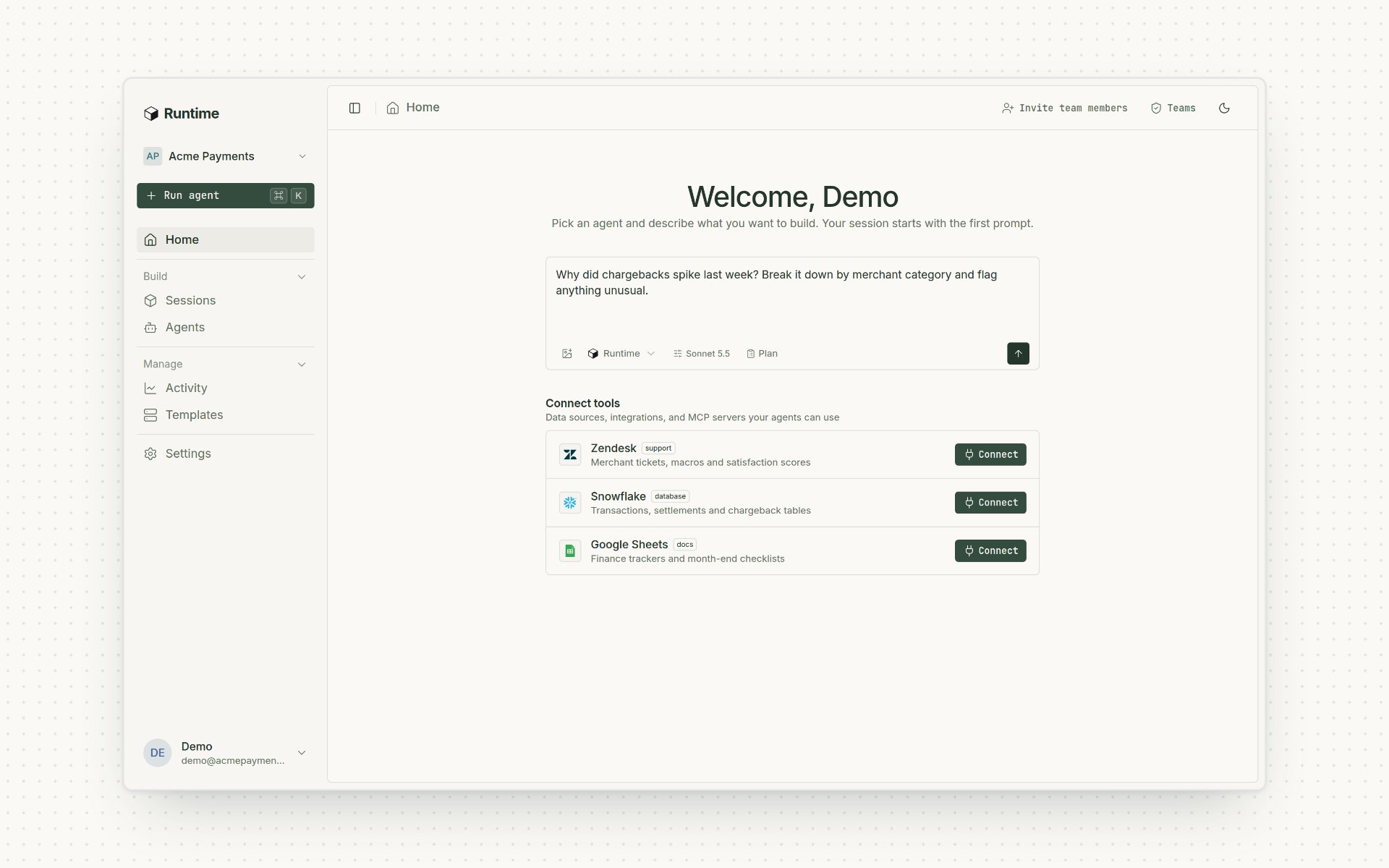
## A new dashboard, with Ask Runtime anywhere
A redesigned dashboard in light and dark mode, with clearer navigation for sessions and settings. Press ⌘K or Ctrl K on any signed-in page to open Ask Runtime. Use it to ask about the platform, set things up or pick an agent.
**Setup:** turn on **Share files and images** for the agent. It's off by default. Slack apps installed earlier may need a reinstall to grant `files:write`. Uploads are limited to 20 MB.
## Start an agent with an emoji reaction
React to a Slack message with an emoji you've configured, and the agent picks up that message and its files and replies in the same thread. Each message and emoji starts one run.
**Setup:** add an emoji trigger rule in the agent's Slack settings. You can limit it to certain channels and user groups. The bot must be able to read the channel. [Learn more](/build/how-it-works/triggers)
## A new dashboard, with Ask Runtime anywhere
A redesigned dashboard in light and dark mode, with clearer navigation for sessions and settings. Press ⌘K or Ctrl K on any signed-in page to open Ask Runtime. Use it to ask about the platform, set things up or pick an agent.
 ## Runtime agents in Microsoft Teams and Microsoft 365
Each agent can have its own Teams bot. It answers @mentions and DMs, works in threads and asks for approval right in the conversation. The Microsoft 365 connector covers mail and calendar, Teams, Excel, SharePoint, OneDrive, OneNote and To Do. On October 9 we added managed bot setup, access to selected SharePoint sites and a shared mailbox for each agent.
## Runtime agents in Microsoft Teams and Microsoft 365
Each agent can have its own Teams bot. It answers @mentions and DMs, works in threads and asks for approval right in the conversation. The Microsoft 365 connector covers mail and calendar, Teams, Excel, SharePoint, OneDrive, OneNote and To Do. On October 9 we added managed bot setup, access to selected SharePoint sites and a shared mailbox for each agent.
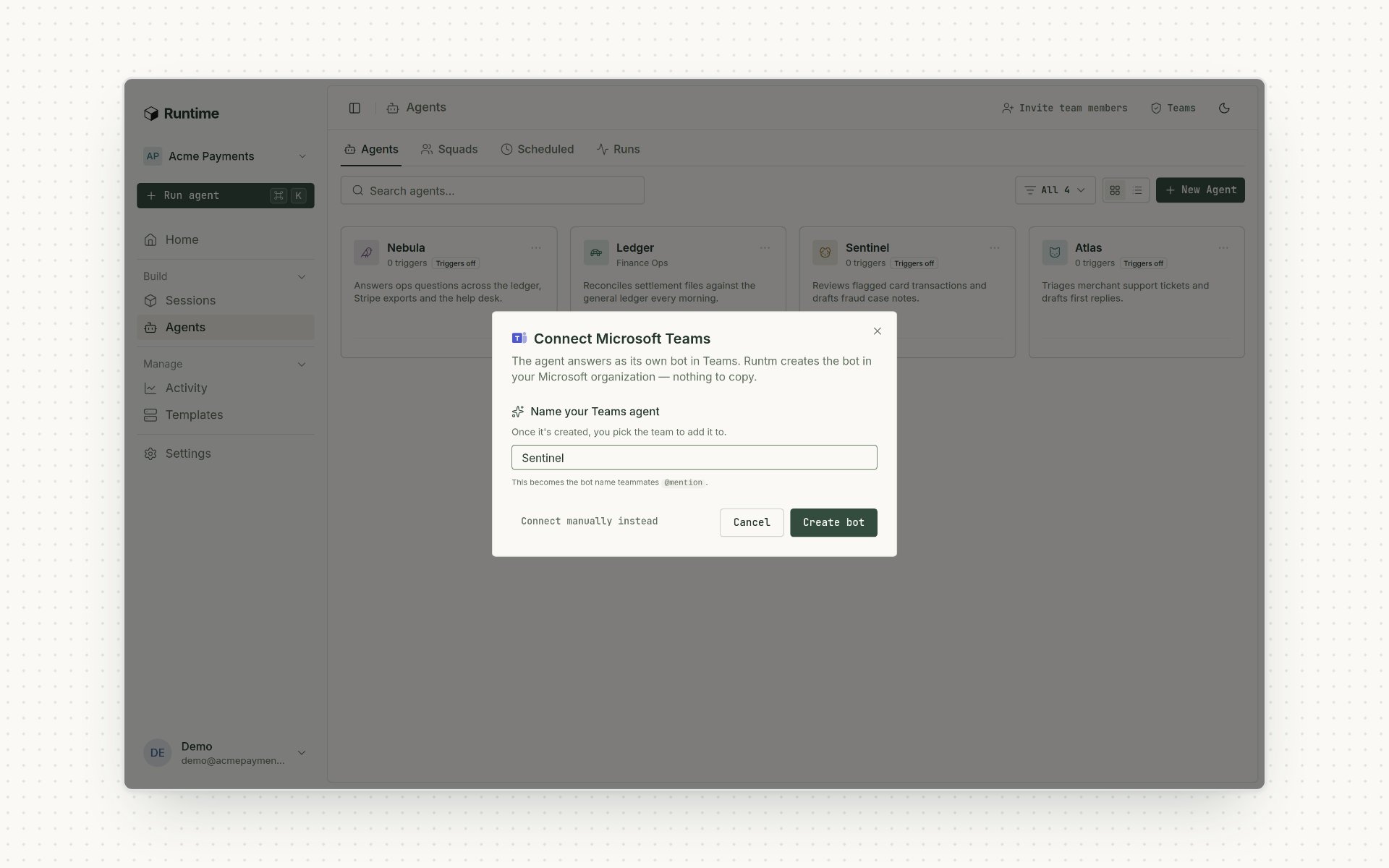 **Setup:** an organization admin enables Teams and completes Microsoft admin consent, then creates the agent's bot and scopes what it can reach. A delegated connection uses the access of the account that connected it. The per-agent identity options use the agent's own scoped access.
## Start an agent from events in your systems
Give each agent several named webhook triggers, verified by URL token, header token or HMAC-SHA256. They accept JSON and Salesforce-style SOAP/XML notifications. An optional `Idempotency-Key` drops repeat deliveries for 24 hours.
**Setup:** create the trigger, then give the sending system its URL and verification secret. Set the instructions, rate limit and where results should go. [Learn more](/build/how-it-works/triggers)
## Approvals and questions in the Slack thread
An agent can end its turn with a question or an approval request. Runtime pauses the run, shows **Approve** and **Reject** in the Slack thread that started it, checks the approver's role on the server and resumes the same agent with the answer.
**Setup:** the agent's runbook has to request approval at the step that needs it. Choose who can approve. Approval requests expire. [Learn more](/guides/recipes/request-approval-from-a-run)
## A guided path to your first working agent
New agents now come with a setup guide that shows what's built, which connections are missing and the next step. A channel step counts as done only after the agent finishes a real run in that channel.
**Setup:** an organization admin enables Teams and completes Microsoft admin consent, then creates the agent's bot and scopes what it can reach. A delegated connection uses the access of the account that connected it. The per-agent identity options use the agent's own scoped access.
## Start an agent from events in your systems
Give each agent several named webhook triggers, verified by URL token, header token or HMAC-SHA256. They accept JSON and Salesforce-style SOAP/XML notifications. An optional `Idempotency-Key` drops repeat deliveries for 24 hours.
**Setup:** create the trigger, then give the sending system its URL and verification secret. Set the instructions, rate limit and where results should go. [Learn more](/build/how-it-works/triggers)
## Approvals and questions in the Slack thread
An agent can end its turn with a question or an approval request. Runtime pauses the run, shows **Approve** and **Reject** in the Slack thread that started it, checks the approver's role on the server and resumes the same agent with the answer.
**Setup:** the agent's runbook has to request approval at the step that needs it. Choose who can approve. Approval requests expire. [Learn more](/guides/recipes/request-approval-from-a-run)
## A guided path to your first working agent
New agents now come with a setup guide that shows what's built, which connections are missing and the next step. A channel step counts as done only after the agent finishes a real run in that channel.
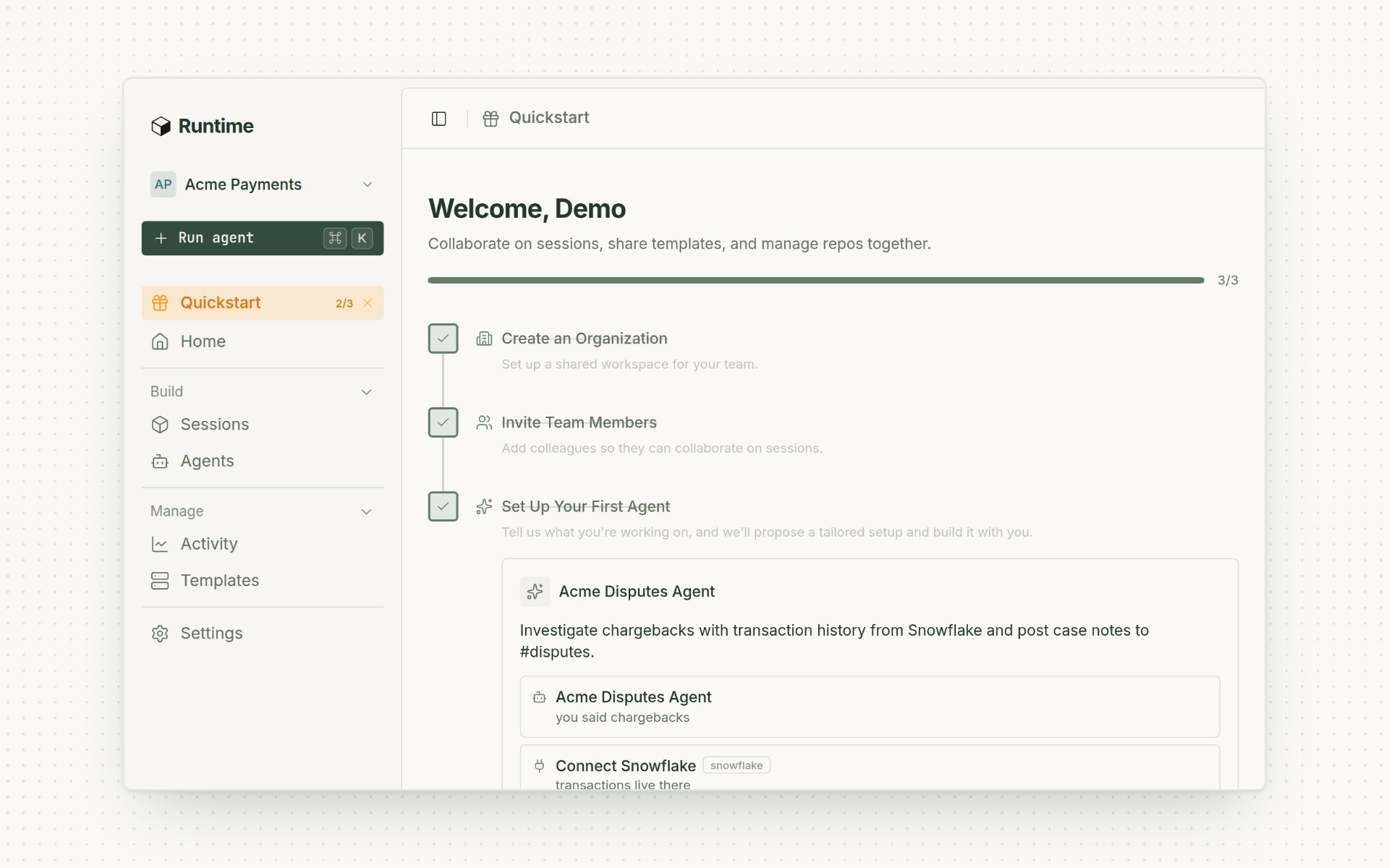 **Setup:** start from the new-agent flow. Some knowledge connections still need approval from the provider's admin. [Learn more](/build/overview)
## Share a live preview with someone outside your organization
Invite a specific email address to one preview port, and revoke access when you're done. You can do this from the dashboard, the API or the CLI. When an invited reviewer opens a paused preview, it wakes up.
**Setup:** the person you invite has to sign in to open the preview. Sharing from the CLI needs v0.0.16 or later. [Learn more](/cloud-api/sessions/preview-shares-create)
## Manage agents, guardrails and schedules from the CLI
`runtm-api` v0.0.14 covers the agent roster, evaluator criteria, scorecards and run grades, plus template guardrails and context. For scheduled agents you can create one disabled, use `run-now` to test it, then enable it.
**Setup:** use `runtm-api` v0.0.14 or later with an org key that has the right scopes. [Learn more](/cloud-api/agent-cli)
This documentation is built and hosted on [Mintlify](https://mintlify.com), a developer documentation platform.
**Setup:** start from the new-agent flow. Some knowledge connections still need approval from the provider's admin. [Learn more](/build/overview)
## Share a live preview with someone outside your organization
Invite a specific email address to one preview port, and revoke access when you're done. You can do this from the dashboard, the API or the CLI. When an invited reviewer opens a paused preview, it wakes up.
**Setup:** the person you invite has to sign in to open the preview. Sharing from the CLI needs v0.0.16 or later. [Learn more](/cloud-api/sessions/preview-shares-create)
## Manage agents, guardrails and schedules from the CLI
`runtm-api` v0.0.14 covers the agent roster, evaluator criteria, scorecards and run grades, plus template guardrails and context. For scheduled agents you can create one disabled, use `run-now` to test it, then enable it.
**Setup:** use `runtm-api` v0.0.14 or later with an org key that has the right scopes. [Learn more](/cloud-api/agent-cli)
This documentation is built and hosted on [Mintlify](https://mintlify.com), a developer documentation platform.