

Outcome
The agent can investigate freely and cannot move money, change account state, or contact a customer without a person saying yes. Every rule is visible in one place, and the session shows exactly what it is waiting on.When to add them
After step 5, not before. Guardrails are the last step on purpose: a rule written before the agent has run is a guess about behaviour you have not observed, and a broadask or deny on an unproven agent turns every unknown into a stall you cannot tell apart from a capability gap. Until now the agent has been safe by scope (read-only credentials, an isolated sandbox, a test trigger). This step makes it safe by rule so it can move to the live queue and to credentials that can do more.
Work from evidence. The passing runs in step 5 gave you the exact commands and hosts the agent used; those become allow rules. Anything the runbook could plausibly attempt that moves money, changes state or contacts a customer becomes a deny rule or an approval gate. Add rules one at a time and re-run a seeded case after each, so a stall is attributable to the rule you just added.
Decide
Which actions are reads and which are writes? List the commands and API calls the runbook will make and sort them. Reads are allowed, writes are denied or asked, and anything customer-facing goes behind an approval.- Bad: “Deny
rm -rf.” That protects the sandbox, not the customer. The dangerous commands in a payments agent arestripe refunds createandcurl -X POST https://api.stripe.com/.... - Good: “Allow
stripe * list*,stripe * retrieve*,psql -c 'SELECT*'. Denystripe refunds create*,stripe * update*,curl -X POST*api.stripe.com*. Ask on everything else. Approval before posting a reply to the ticket.”
docs.runtm.com if the agent reads documentation.
Who approves? An approval names a required org role or a required team. Admins and owners can always resolve one. If nobody with that role is watching the Sessions board, the run waits.
The three guardrail types
Each type exists in two places: as an org-wide directive you attach to templates, repos or the whole org, and as a template-owned row on the template’s Guardrails tab. Org rules layer over template rules, andtemplate guardrails resolve shows the effective set with each item marked active, deduped or shadowed.
Hook events:
PreToolUse, PostToolUse, UserPromptSubmit, Notification, Stop, SubagentStop, SessionStart, SessionEnd, PreCompact. Prompt hooks are limited to PreToolUse, PostToolUse, UserPromptSubmit, Stop and SubagentStop. async applies to command hooks on PostToolUse, Notification, Stop and SessionEnd.
Org limits are separate from guardrail content. Under Guardrails → Limits an admin sets the maximum concurrent sessions, a monthly org budget in USD, and the default idle timeout. These are enforced when a session is created.
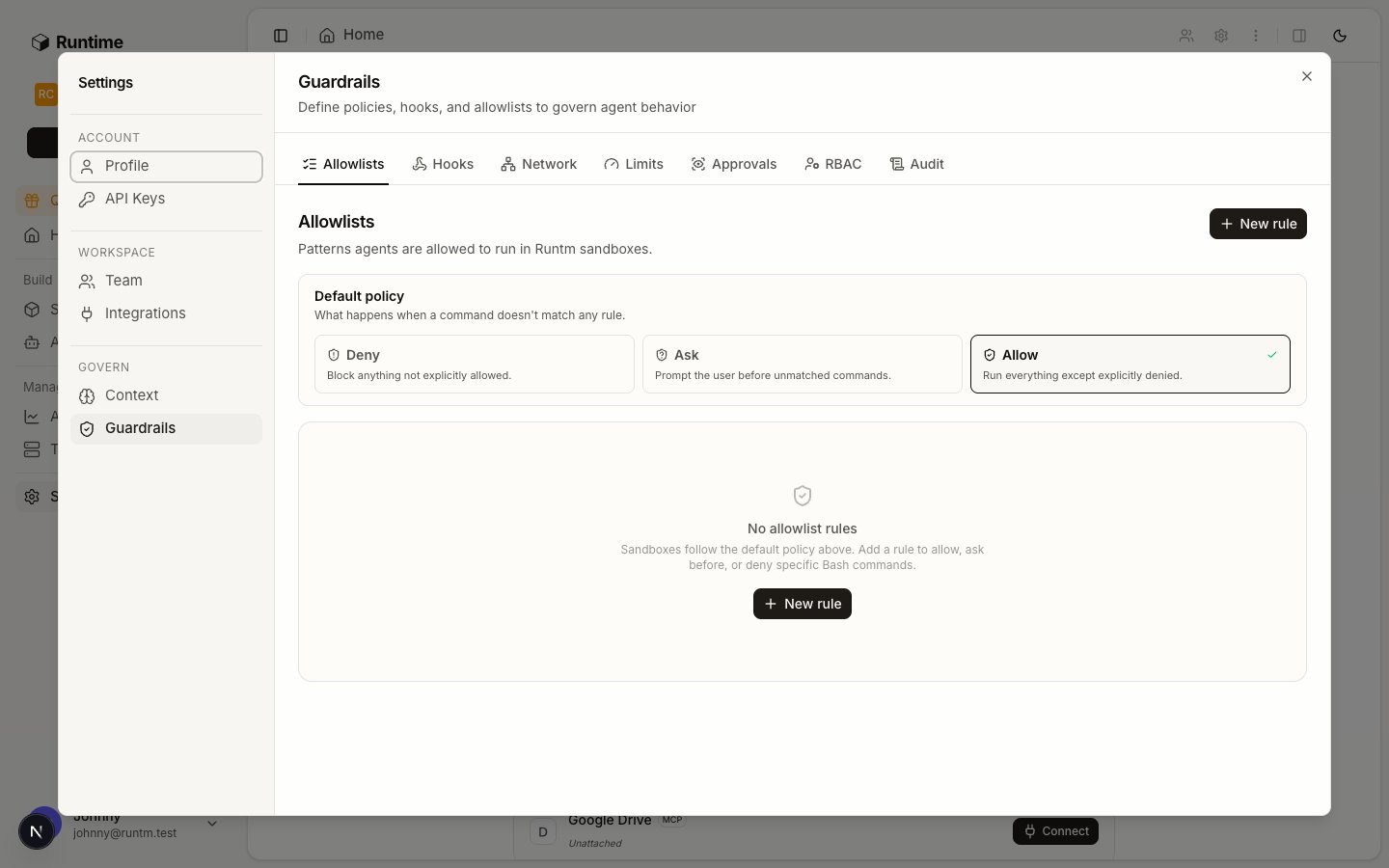
Allowlists on the org Guardrails page. Each rule is Allowed, Ask first, or Denied with a pattern and a purpose.
Do it
1
Write the allowlist rules
Open Settings → Guardrails → Allowlists and click New allowlist rule. Pick the Type (Allowed, Ask first, Denied), enter the pattern (“e.g. git push —force or rm -rf *”) and a purpose (“Why this rule exists”). For a payments agent, create the deny rules first.
2
Set the default policy to ask
On the same tab, set the default policy for commands no rule matches.
ask means the run pauses for a permission decision on anything you did not anticipate. deny is stricter and breaks runbooks that install a package on the fly. The org default is allow.The CLI does not expose the default command policy (runtm-api guardrails allowlist manages the repo allowlist, a different setting). Set it with PUT /api/cloud/organizations/<org_id>/allowlist-policy and a body of {"default_policy": "ask"}, or on the Allowlists tab.3
Add a hook if a pattern is not enough
Open Hooks and click the add button. Choose the Event, the Type (
command runs a script, prompt injects text), an optional matcher (“Bash|Edit|Write”), the Script or Prompt, and a Timeout (sec). A PreToolUse command hook that exits with a JSON permissionDecision of deny blocks the call and gives the agent your permissionDecisionReason.4
Pin the network
Open Network and add one rule per host or CIDR (“api.anthropic.com or 10.0.0.0/8”) with a purpose (“Why agents need this”). As soon as one rule exists, the sandbox can reach only what is listed. Include the tool hosts,
app.runtm.com, docs.runtm.com, and whatever your skills’ mise tooling downloads from.5
Attach the rules to the template
Org-wide rules apply to nothing until attached. Attach each rule to the agent’s template (or to every repo in the org with
--all). Alternatively create the rule directly on the template’s Guardrails tab, where inherited org rules show as read-only “Enforced” rows above the template’s own list.6
Rebuild the template
Allowlist rules and hooks are materialized into the snapshot. Attaching after the last build leaves the template stale until you build again. Network rules are resolved at session creation and do not need a rebuild.
7
Put approvals in the runbook
Approvals are not a policy you configure; the agent requests one from inside the run when its instructions or a skill say a step needs sign-off. The
runtm-approval helper is on the sandbox PATH and authenticates with the session’s key. Write the call into the skill at the exact step that must wait.--wait blocks until a human resolves the request. Exit code 0 means approved, 1 means rejected. On rejection the agent must not proceed and should report the resolution note. --required-role <org-role> or --required-team <team-id> restricts who can approve; admins and owners always can. To request now and wait later:8
Resolve approvals from the Sessions board
A pending request flips the session to
awaiting_approval and shows Approve and Reject inline on the session card, with the request message in the tooltip. Sessions waiting on a person sit in their own Kanban column. Approvals are not delivered to Slack; the person approving needs the dashboard or the CLI.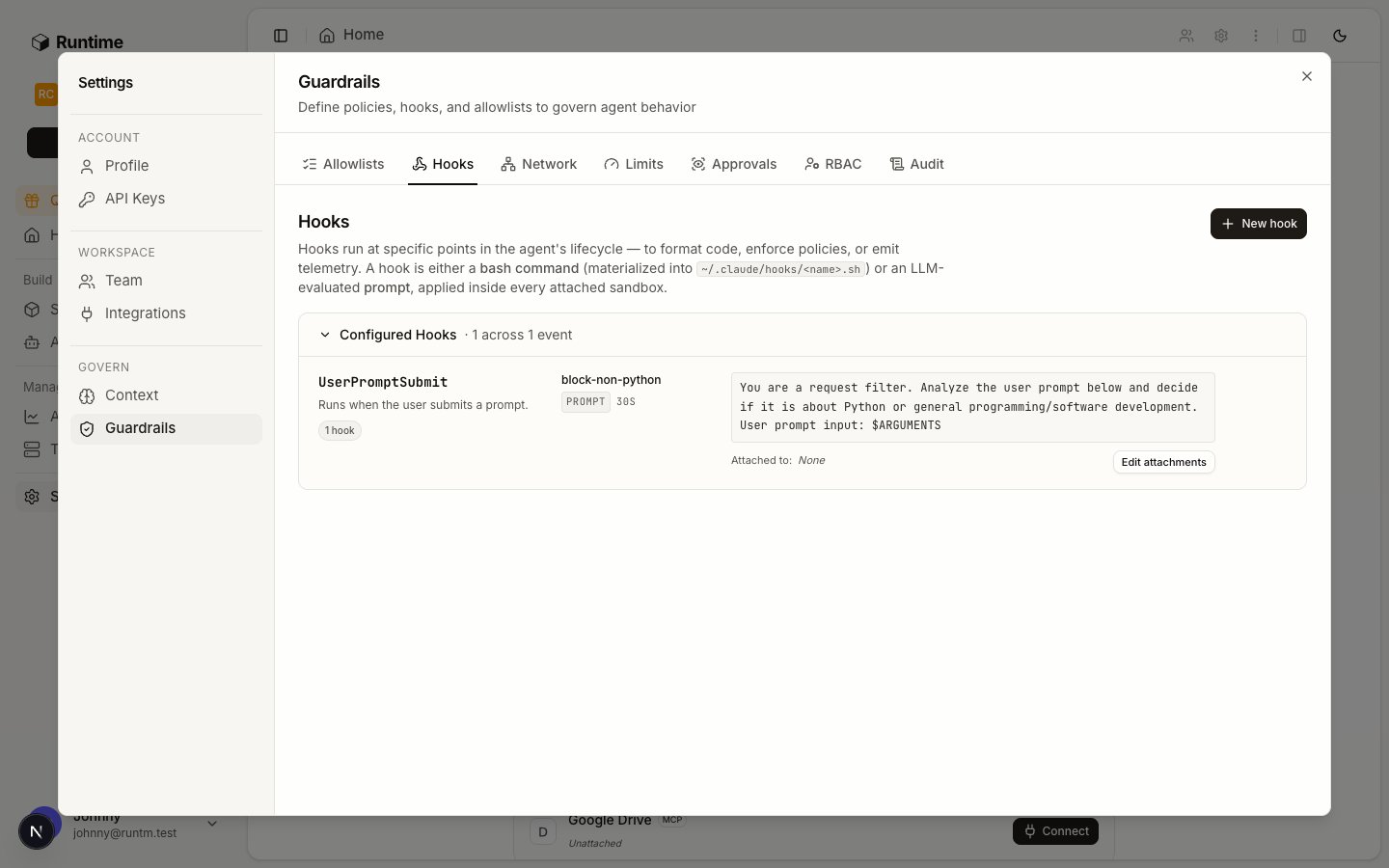
Hooks fire on harness lifecycle events. A PreToolUse command hook can allow, deny, or ask.
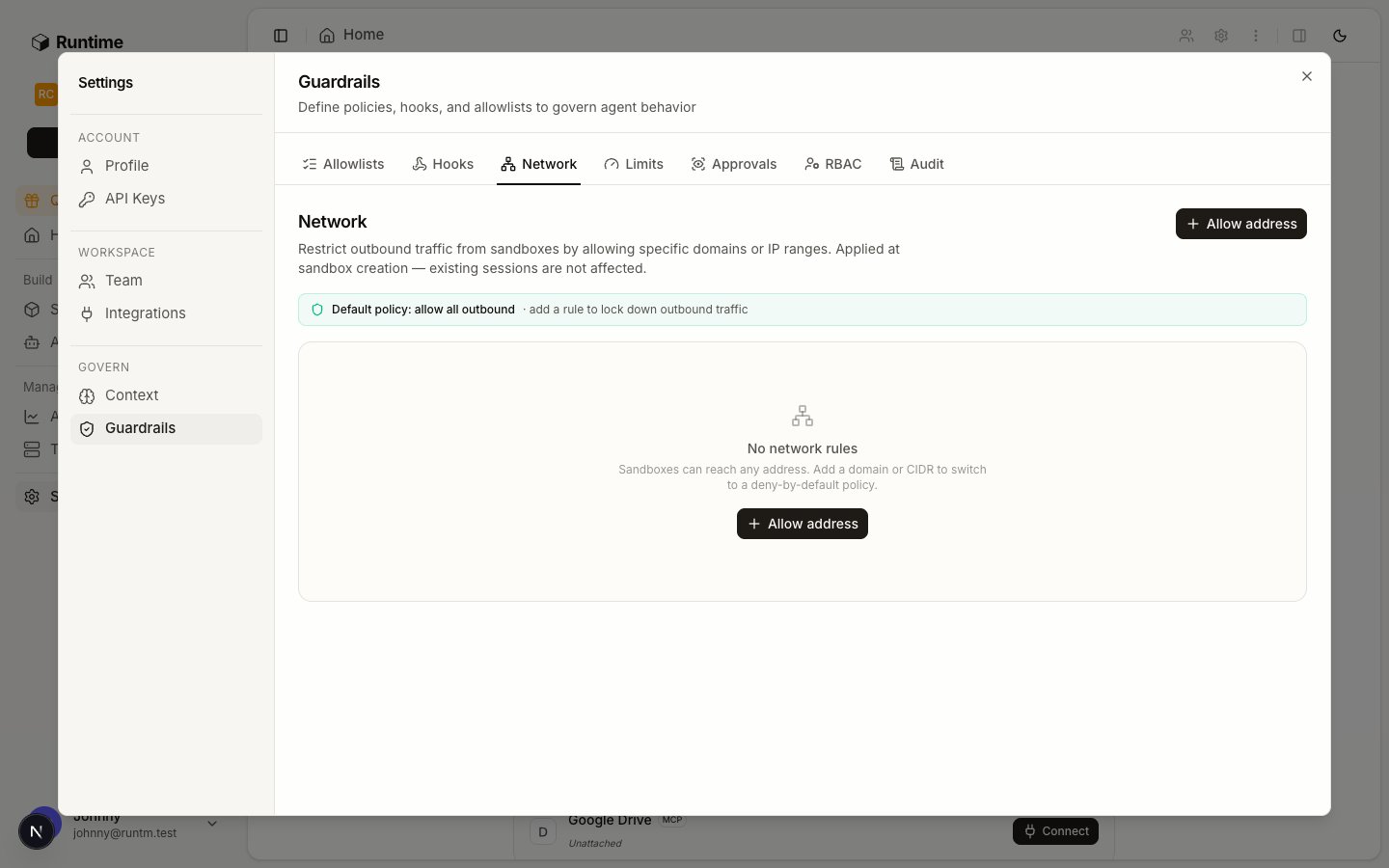
Network rules turn egress into deny-all plus the listed hosts and CIDRs.
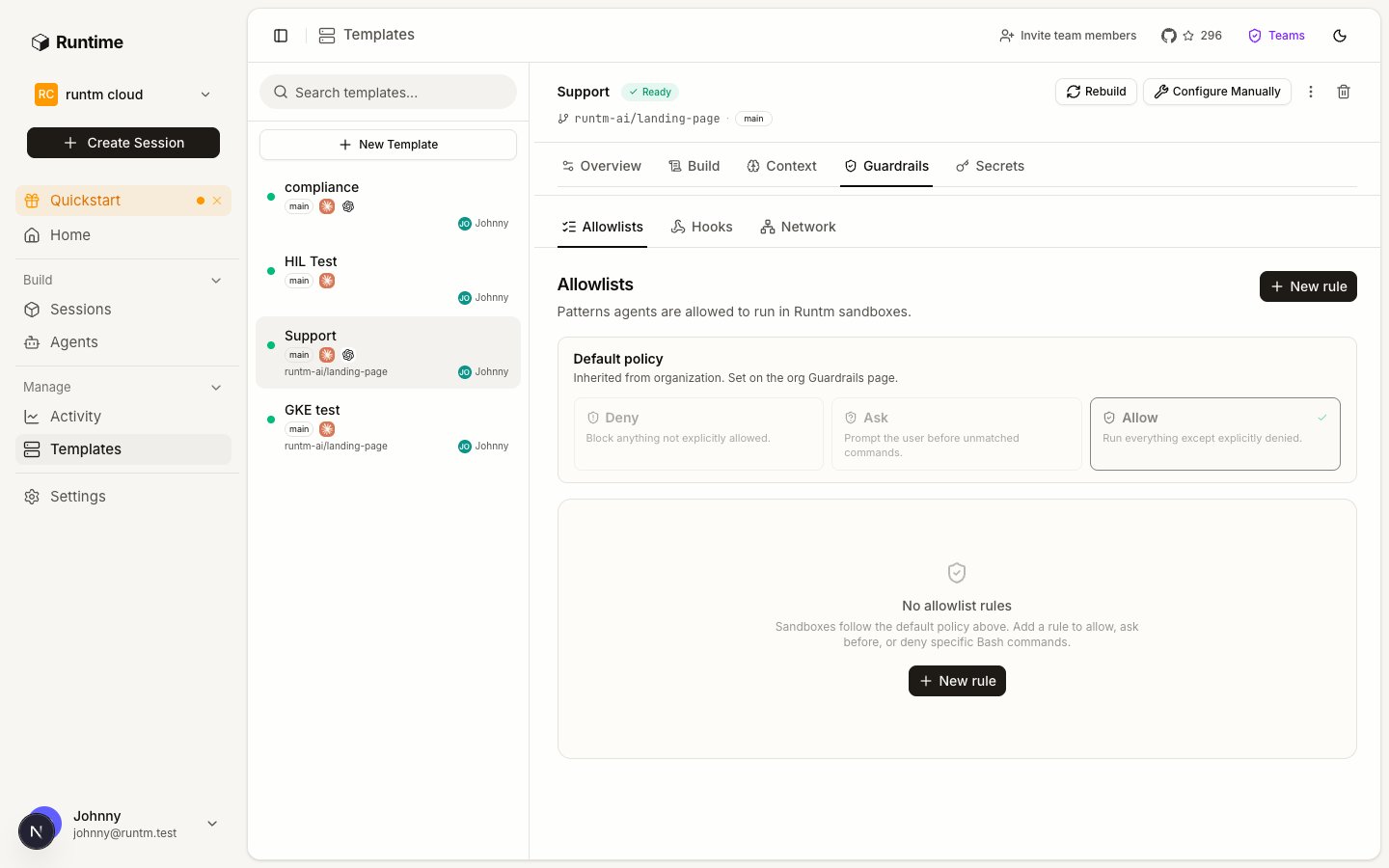
The template's Guardrails tab shows inherited org rules as Enforced rows above the template's own rules.
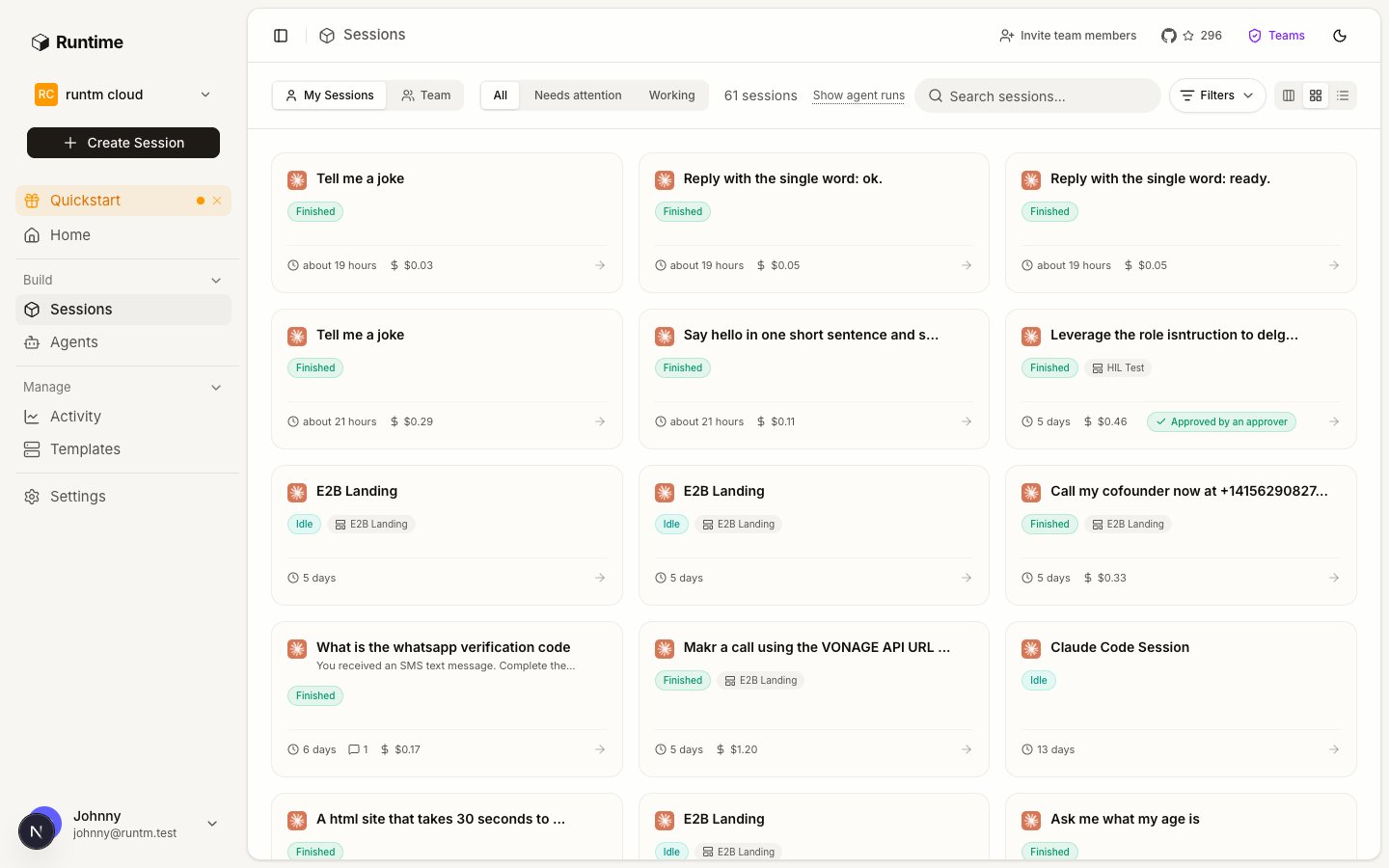
Sessions that went through an approval gate carry the outcome on their card; while pending, the same card shows Approve and Reject inline.
Verify
runtm-api template guardrails resolve <template_id>lists every effective rule withsource(orgortemplate) andeffective_status, plusallowlist_default_policyandnetwork_allow_out.- Start a session from the template and run a denied command in the terminal. The permission decision should refuse it with your purpose text as the reason.
- From the session terminal, run
curl -sI https://example.com. With network rules in place it must fail, andcurl -sI https://api.stripe.commust succeed. - Trigger the approval step in a test run. The session card shows Approve and Reject, and
runtm-api session approvals list <session_id>returns the pending request with itskind,messageandrequired_role.
Gotchas
- Allowlist rules see only Bash. File edits, web fetches and MCP tool calls are not evaluated by allowlist rules. Use a hook with a matcher such as
Edit|Writefor those. - Attached is not built. An allowlist or hook attached after the last build is not in the snapshot.
template getreportsattachments_changed_since_build: true. Build again. - One network rule flips the default. With zero rules the sandbox has open egress. With one rule it has deny-all plus that rule. Forgetting
app.runtm.combreaks the runtm CLI inside the sandbox, and forgetting your package registry breaks skill tooling. - Network rules have no ports. A host is reachable on every port or not at all.
- Approvals are runbook steps, not settings. The Approvals tab under Guardrails describes the concept but does not configure anything. If the skill never calls
runtm-approval, nothing waits. - An approval with no watcher waits forever. Scope
--required-roleto a role someone on shift actually holds, or leave it unset so anyone with session access can resolve it. Usewait --timeoutso the run fails cleanly instead of idling. - Two rules with the same pattern. Deny beats ask beats allow regardless of order or source, so an org-level
denycannot be loosened by a template-levelallow. - Hooks are harness-specific. The rules are materialized for the coding harness in the template. Verify on the harness you actually run.
- A rule added before the first run. If a seeded case that passed in step 5 now stalls or fails, the last rule you added is the cause. Remove it, re-run, and write it narrower.