

Outcome
The agent has run against real cases you chose, every run has a pass or fail grade with a reason, and the scorecard tells you whether it is worth its cost. You know which of the rubric, the tools, or the runbook to change next, and you have a list of the commands and hosts the agent actually used, which is what step 6 turns into rules.Capability before constraints
Do this step before adding guardrails. A deny rule written before the first run guesses at what the agent will do; a deny rule written after five graded runs encodes what you saw. Until then the agent is kept safe by scope, not by rules: the credentials on the template are read-only (a restricted Stripe key, a read-only database role, see Give it tools), the sandbox is isolated and destroyed after the run, and the trigger is a test channel or a manual run, not the live queue. If the agent cannot pass its seeded cases with the model, the tools and the runbook it has, no guardrail will fix that, and you want to learn it now.Decide
What are the first five cases? Pick cases with known answers so the grade means something. Include at least one that should fail (a wrong customer id, a ticket with no transaction reference) so you see what a failure looks like before a real one.- Bad: “Point it at the live queue and watch.” You will not know whether a wrong answer came from the rubric, a missing tool, or an unclear runbook.
- Good: “Three resolved declines from last week, one duplicate charge, one ticket with no order id. Expected outcome written down for each before the run.”
The loop
Do it
1
Verify the template actually carries the skills
On Templates, open the agent’s template and check the Context tab lists the skills and MCP servers you expect, and the Guardrails tab lists the rules. A violet dot on the tab means the template has its own entries.From the CLI, read
skills[].name and attachments_changed_since_build. An empty skills array means attach. true means rebuild.2
Build once, after everything is attached
Click Build on the template’s Build tab. The pane says “Build in progress - this may take 5-15 minutes. You can navigate away safely.” Attaching more after this point makes the template stale again.
3
Run the agent once, on purpose
Use the trigger the agent will live on. For Slack, mention it in a test channel with the first case. For a scheduled agent, use Run now on the Scheduled tab; it executes the identical code path a cron tick takes, so a failure here is the failure you would otherwise get at 03:00 UTC. For an agent with no trigger yet, create a session from the template and send the case as the prompt.
4
Read the run
Open Agents → Runs or Sessions. The card shows the harness, the first prompt, status, elapsed time and cost. Open it to read the transcript: which tools it called, what it read, where it stopped. If it is sitting in
awaiting_approval, resolve the request so the run can finish and be graded.5
Read the grade
Grading runs in the background after a run finishes. The verdict is one routed category,
success true or false, a reason, and the category’s tags. It is a judgment against your Success criteria text, not a score.{"graded": false} means no verdict yet. Wait for the run to finish, then check that the agent has categories and the org has an Anthropic key.6
Read the scorecard
Open Activity → Agents. Per agent over the window you pick: sessions, turns, tokens, spend,
graded_runs, successful_runs, objective_hit_rate (successful divided by graded), per-category runs and successes, value_usd (successful runs times the category’s human cost), minutes_returned (human minutes minus agent minutes, floored at zero), and the monthly budget with exceeded when spend has passed the cap. Nothing is stored; editing a category’s human cost re-values history on the next read.7
Tighten one thing
Change one input per iteration so you can attribute the effect.
- Rubric. Rewrite the
Success criteriathat let a bad run pass, or split a category that is catching two kinds of work. Saving bumps the rubric version. New runs are graded against it; an already finished run is regraded the next time its transcript is uploaded (for example after a follow-up prompt), and the new verdict supersedes the old one. Old runs are not regraded retroactively, so re-run your seeded cases after a rubric change. - Guardrails. Not yet. Note what the run did that you did not want; it becomes a
denyrule in step 6 once the cases pass. - Runbook. A run that skipped a check gets an explicit step in the skill. A run that guessed a value gets a tool that returns it.
- Tools. A run that could not answer because the data was out of reach gets a provider or an MCP server, attached and rebuilt.
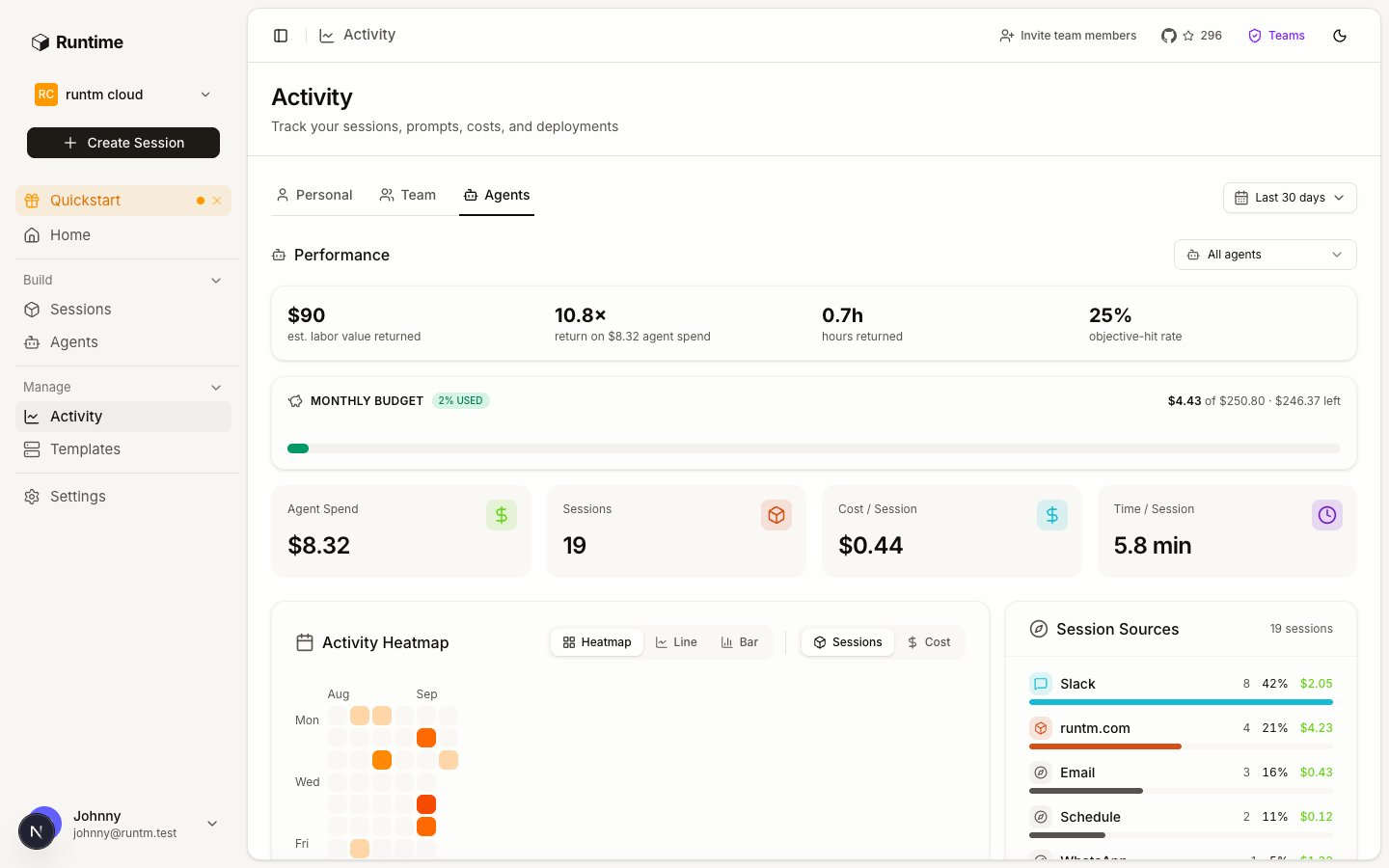
Activity → Agents is the scorecard: graded runs, hit rate, value returned and budget per agent.
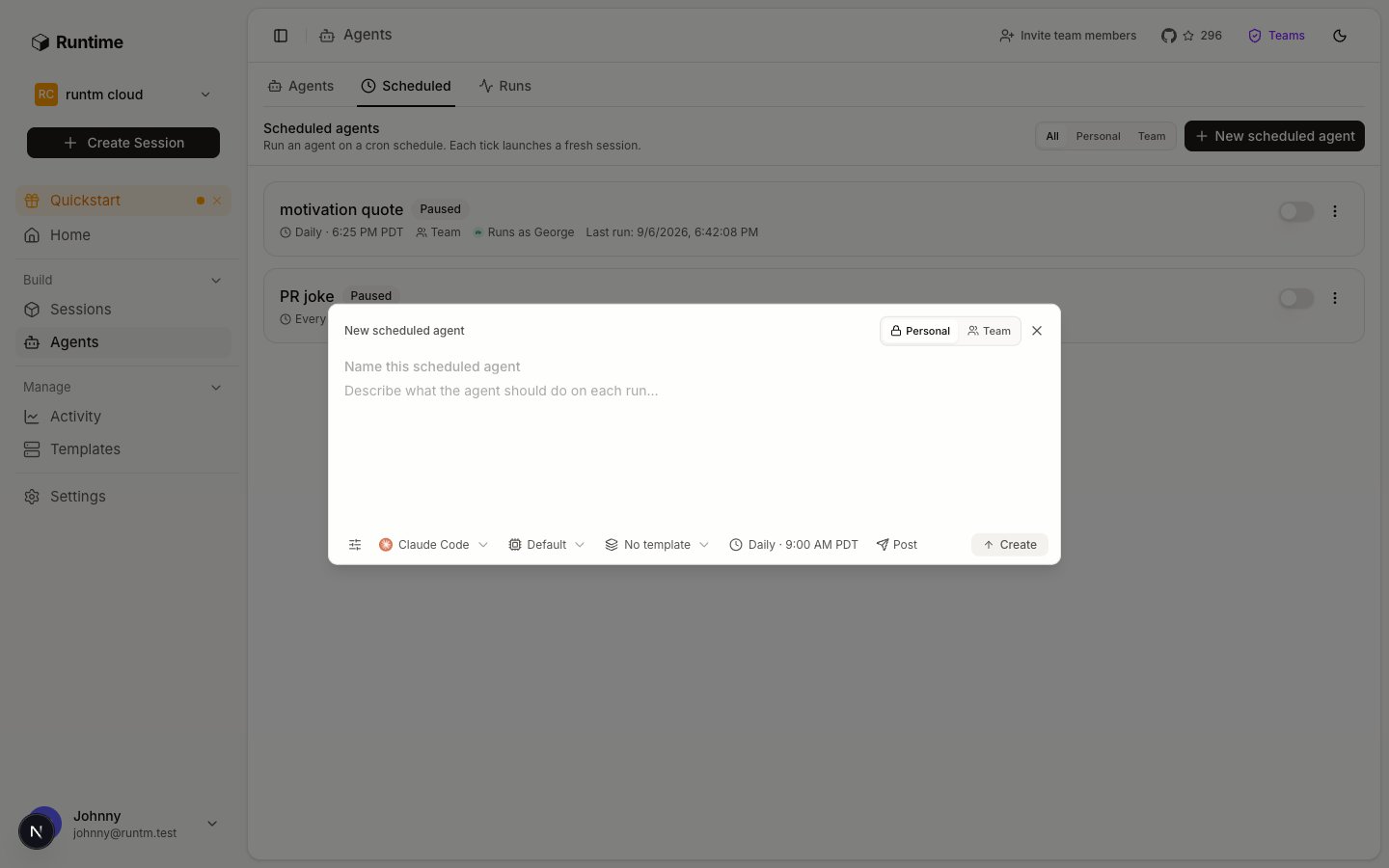
Run now on a scheduled agent executes the same path as a cron tick, so validate before you enable.
Verify
Before calling the agent launched, all of these are true:template getshows the skills you expect andattachments_changed_since_build: false.- Every seeded case has a session under Runs with status
finished. session gradeon each returnsgraded: truewith areasonyou agree with, including the case you expected to fail.agents scorecard --days 7showsgraded_runsequal to the number of finished cases and a per-category breakdown undertasks.- You have written down every command pattern and host the passing runs used. That list is the input to Add guardrails and approvals.
Gotchas
- Scorecard shows zeros. No categories on the agent, no finished runs since categories were added, or the grader had no key. Check the agent’s Performance evaluation section first, then
session gradeon a finished run forgrader_unavailablein the reason. - Runs are not attributed to the agent. Only sessions launched through the agent’s triggers, its scheduled agents, or with the agent’s id carry
agent_id. A session you created by hand from the same template is graded against nothing and appears on no scorecard. - The grade reads the first prompt and the last message. A runbook that ends with “Done.” gives the grader nothing to judge. End runs with the finding: what was checked, what was found, what is recommended.
- Rubric edits do not rewrite history. Grades already recorded keep their category key and verdict until that session is graded again. After changing a key or a criterion, re-run the seeded cases so the scorecard reflects the current rubric.
- Budget exceeded does not stop anything.
exceeded: trueis a flag on the scorecard and an audit event. Launches continue. Use org limits under Guardrails → Limits for a hard cap. - Schedule enabled, never run. An enabled schedule with
last_run_atnull and anext_run_atin the past was never validated. Disable it,run-now, read the session, then enable. - Iteration without rebuild. Editing a skill’s content triggers a rebuild of the templates it is attached to. Attaching a new skill or MCP server does not; run
template buildyourself. - Guardrails added too early. An
askdefault or a broad deny rule on an agent that has never run turns every unknown into a stall, and you cannot tell a capability gap from a rule. Prove the cases first, then constrain. - Prove one capability in a bare session before wiring a trigger.
session create --template-id <t>, thensession exec <id> --json -- ls ~/.claude/skills, then destroy. Cheaper than re-reading config. - “It was supposed to run and nothing happened”, in order:
enabledfalse ornext_run_atnull means no scheduler job (null is normal while disabled);last_run_atunchanged means the tick never fired (enabled or UTC conversion);last_run_atupdated means the failure is inside the run, sorun-nowand readsession history <last_session_id>. - Pause a schedule with
--disabled, not delete. It removes the scheduler job and keeps prompt, template and post target; re-enabling is one call. Iterate withrun-now, not by waiting for ticks.
6. Add guardrails and approvals
Turn what the passing runs did into allow, ask and deny rules, network rules and approval gates.
Scorecard API
Every field the Activity page aggregates.