

What you will have
A roster agent called Payment Support that answers charge, decline and refund questions with a draft reply and an evidence section, graded pass or fail on every run, reachable from a Slack channel and an email inbox. It reads Stripe and the ledger through least-privilege credentials, never sends anything to a customer, and waits for a person before posting a draft back to Zendesk.The agent spec
1. Define the job
Follow Define the job with these values.Create the agent
Payment Support, pick an avatar, and on the Instructions step enter the description and system instructions below.Description: “Given a Zendesk ticket or a Slack question about a charge, decline or refund, reconstructs the payment timeline from Stripe and the ledger and drafts a customer reply with cited evidence. Never sends.”System instructions:Leave the template empty for now
2. Measure success
Follow Measure success. Open the agent’s card, scroll to Performance evaluation, and click Add evaluation category three times.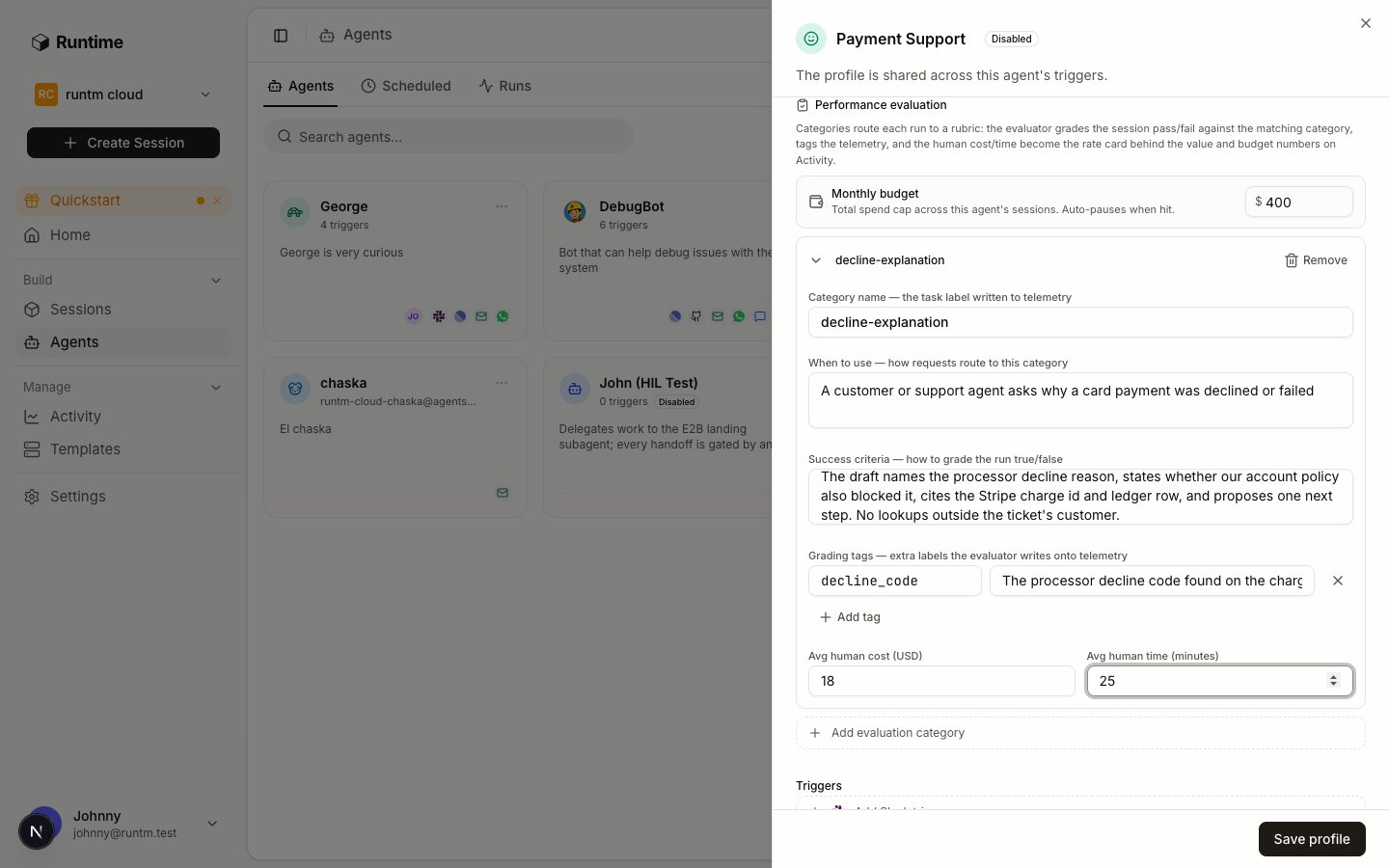
One category filled in. The grader routes each run to the category whose When to use text matches, then judges it against Success criteria.
decline-explanation
decline_code, “the processor decline code found on the charge, for example insufficient_funds or do_not_honor”.Avg human cost (USD) 18, Avg human time (minutes) 25.duplicate-charge
refund-status
Set the monthly budget and save
400 under Monthly budget. This is a flag on the scorecard and an audit event, not a stop. Click Save profile.3. Give it tools
Follow Give it tools. Three systems, each with the least access that still answers a ticket.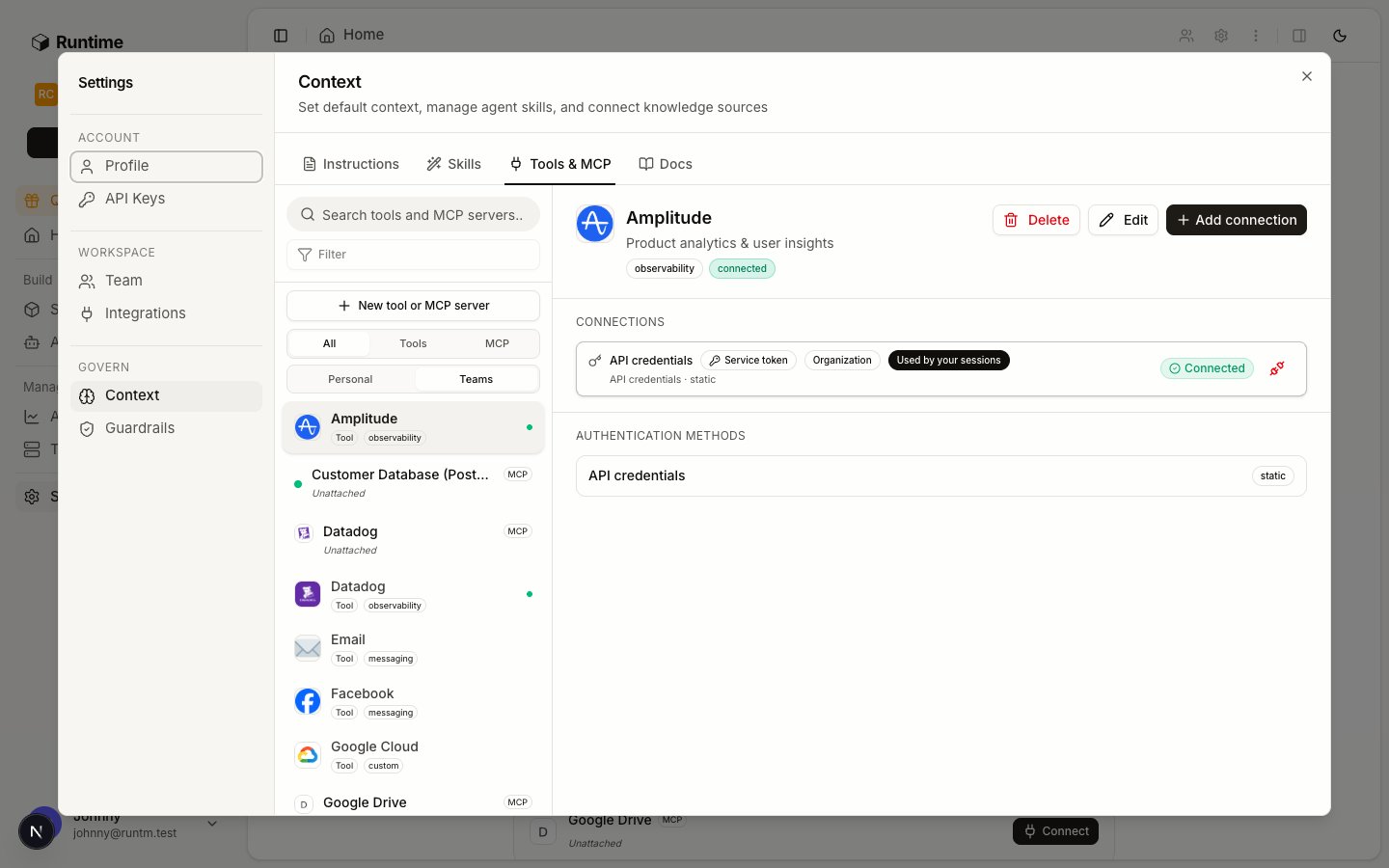
Settings > Context > Tools & MCP after the three providers are connected.
Create the template
Payment Support, and click Create Template. No repository is needed; the runbook lives in a skill.Connect Zendesk as the agent
support-bot Zendesk agent and its API token. Choose the agent scope and select Payment Support.Zendesk is agent-scoped on purpose: every draft the agent posts should be attributed to the bot user, not to whoever mentioned it in Slack. An agent-scoped connection also reaches the agent’s sessions without a skill requiring it. See the credential hierarchy.Create the Stripe provider and connect a restricted key
STRIPE_SECRET_KEY, then connect it org-wide.In Stripe, create a restricted key with read permission on Charges, Payment Intents, Refunds, Disputes and Customers, and nothing else. Nothing in Runtime downgrades a credential, so the key itself is the first control.Create the Postgres provider and connect a read-only role
POSTGRES_CONNECTION_STRING. In the database, create a support_readonly role that can SELECT from the payments.charges, payments.refunds and payments.ledger_entries views and nothing in other schemas. Connect it org-wide.Point the agent at the template
Payment Support and Coding agent to Claude Code, and click Save profile.4. Define how it works
Follow Define how it works: skill first, then instructions, then a test trigger.Write the payment-investigation skill
SKILL.md and references/decline-codes.md.references/decline-codes.md starts like this:Build the template
ready. The skill, the Stripe and Postgres connections it requires, and the agent-scoped Zendesk connection are now what every session gets.Connect a Slack trigger to a test channel
#support-agent-test only. Leave the channel-message toggles off so it runs only when mentioned or DMed.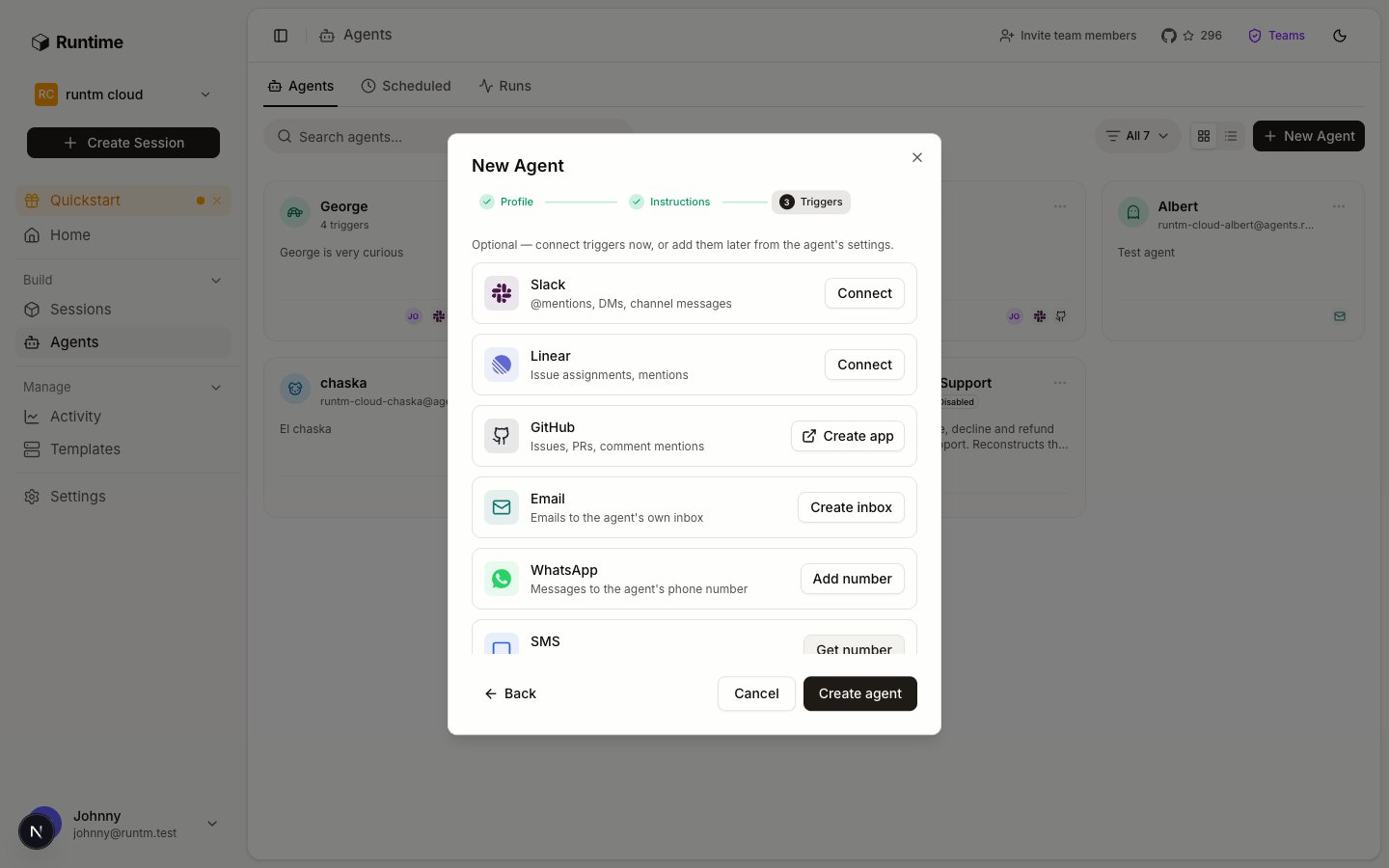
The Triggers step: Slack first, Email second. Zendesk is not a trigger.
5. Prove it works
Follow Prove it works and iterate. No guardrail exists yet, and that is intended: the Stripe key cannot write, the ledger role cannot write, the Zendesk token belongs to a bot user in a test channel, and the sandbox is destroyed after each run.Seed five cases
Run them
#support-agent-test. Each mention launches a session on the Payment Support template, attributed to the agent. Watch the run under Agents > Runs.Read the grades
success true or false, a reason, and the decline_code tag. Case 5 should fail, and the reason should say the agent stopped without identifying a payment. If it passed, the success criteria are too loose.Read the scorecard and tighten one thing
graded_runs 5, successful_runs 4, and per-category counts under tasks. If a decline case failed because the draft named the wrong code, fix the runbook step, not the rubric. If it failed because the criteria demanded something the ticket could not supply, fix the criteria. Rebuild after a skill edit, then re-run the failed case.Write down the commands the passing runs used. That list is the input to step 6.6. Add guardrails and approvals
Follow Add guardrails and approvals. Now that the five cases pass with read-only credentials, encode what the runs did as rules, one at a time, re-running case 1 after each.Allow the reads the runs used
stripe * list*, stripe * retrieve* and psql*SELECT*, each with a purpose.Deny the writes the job never needs
stripe refunds create*, stripe * update* and curl*-X POST*api.stripe.com*. The restricted key already refuses these; the deny rule makes the refusal visible in the run instead of a vendor error.Set the default policy to ask, attach, rebuild
Pin the network only if the org requires it
app.runtm.com, docs.runtm.com, api.stripe.com, <subdomain>.zendesk.com, the ledger host and your package registry. One rule flips the sandbox to deny-all, so a forgotten host breaks the run.Keep the approval step in the runbook and resolve it from Sessions
runtm-approval request --kind customer_reply --required-role admin --wait. Posting to Zendesk is a write the bot token allows, so this gate is what keeps the customer-facing action human. A pending request flips the run to awaiting_approval; an admin approves or rejects it on the session card or from the CLI. Approvals are not delivered to Slack.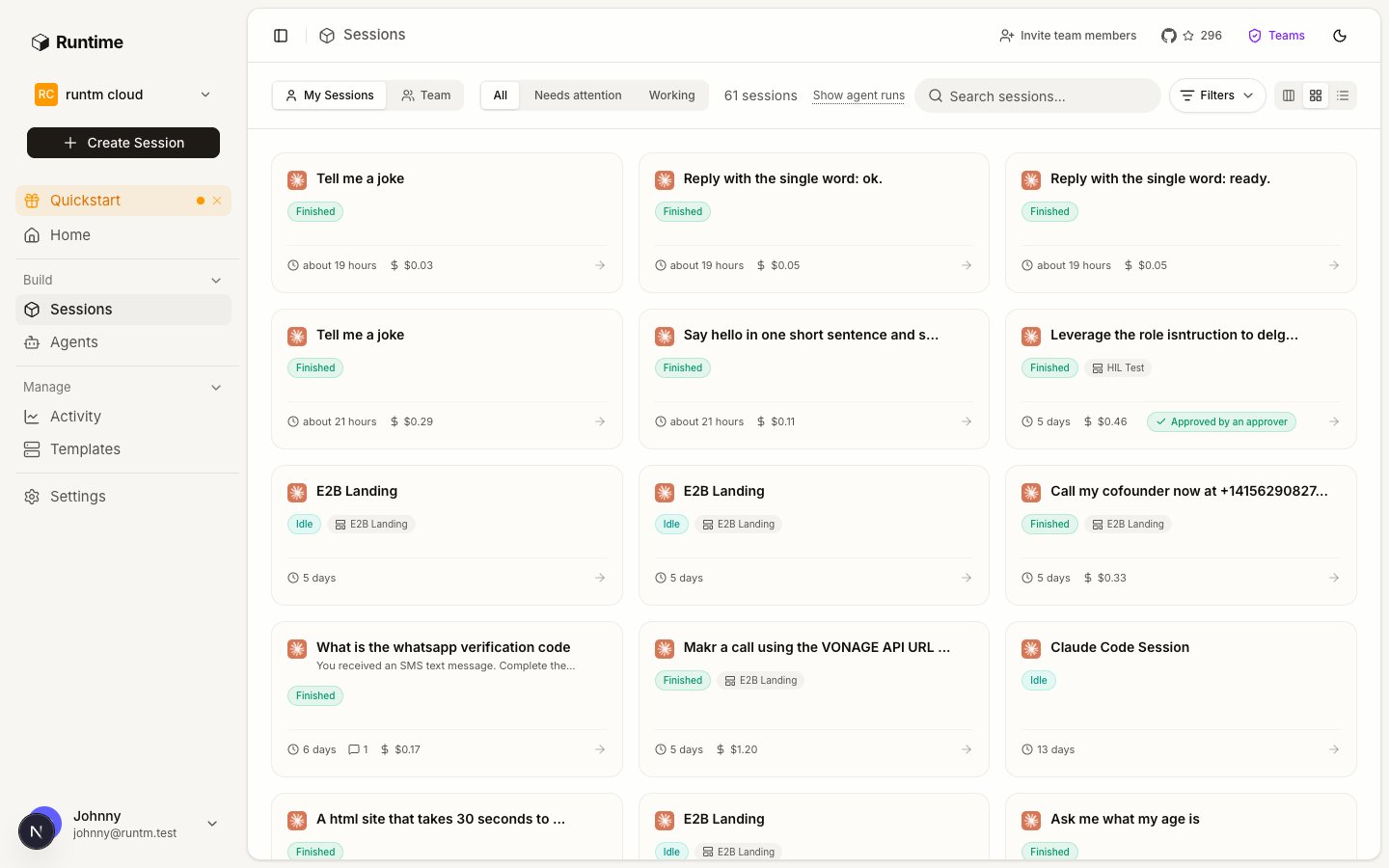
A run that went through the approval gate carries the outcome on its session card.
Add the Email trigger and open the real channel
@northstar.example reach the agent and nothing else does. Then invite the Slack app to #support.What stays human
- Sending the reply. The agent drafts; a person approves the post and a person sends anything that leaves Zendesk.
- Refunds, credits and account changes. The key cannot do them and the deny rules say so.
- Anything involving a dispute or a fraud flag. The runbook escalates to the risk team; see the fraud and risk review agent.
- Judging the grade. The grader is a signal; a person reads the
reasonon failures and decides whether the rubric or the runbook was wrong.
Gotchas
- Stripe and Postgres never reached the session. Both are org-wide, so they need the skill’s
requires.integrationsto liststripeandpostgres, and the template must be rebuilt after the skill was attached. Zendesk reaches the session regardless because it is agent-scoped. - The Slack user’s personal Zendesk token was used. That happens only when the agent has no Zendesk connection of its own. Keep the agent-scoped connection in place so drafts always come from the bot.
- Runs from a dashboard session are not graded. A session you open by hand from the Payment Support template carries no
agent_id, so it is graded against nothing and appears on no scorecard. Test through the trigger. - Case 5 passed. The
decline-explanationcriteria let a “could not find the payment” draft through. Add “and identifies the specific charge id” to the criteria so a graceful stop grades as a fail, which is the honest outcome for that case. - Guardrails stalled a passing case. The last rule you added is the cause. A
psqlinvocation that does not containSELECTon the command line, for example a heredoc, misses the allow rule and hits theaskdefault. Widen the pattern or change the runbook to inline the query. - The scorecard shows zeros. No categories saved, no run finished since they were saved, or the org has no Anthropic key for the grader.
session gradeon a finished run showsgrader_unavailablein the reason for the last case.